



Practical guide

A hands-on fal ai tutorial for your first workflow

Use this guided path to move from a clear prompt to a usable result. You will learn what to prepare, how to run a generation, and how to diagnose weak outputs without changing everything at once.

Free to start · review output
Falai creative generation workspace with visual examples

Tutorial at a glance

The fastest way to learn fal is to keep the first run small, inspect one variable at a time, and save prompts that produce repeatable results.

7 min read

Numbered steps

Treat the first generation as a controlled experiment rather than a final delivery.

  1. 1

    Define the output

    Write down the subject, action, format, mood, and the one result that would make the run useful.

  2. 2

    Run a focused prompt

    Choose a suitable model, keep the wording specific, and avoid adding modifiers that do not support the requested result.

  3. 3

    Review and refine

    Compare the output with your goal, identify the largest mismatch, then change one part of the prompt before rerunning.

Common errors and fixes

The before-and-after view illustrates the central tutorial habit: preserve what works and repair the most visible mismatch first.

Loose briefFocused brief
Early Falai tutorial result with an unfocused creative brief Refined Falai result after a clearer prompt and workflow Loose brief Focused brief

Compare the framing before changing the model.

Prerequisites

You do not need a large production setup. A short brief and a way to evaluate the result are enough for a meaningful first pass.

Required Optional
  • A specific outcome, such as a product image, short clip, variation, or edit.

    Required

    Avoid starting with an undefined goal.

  • A prompt that names the subject and the intended action or composition.

    Required
  • A preferred aspect ratio, duration, or output format when the project requires one.

    Required
  • A reference image or visual description if consistency matters.

    Optional
  • A note-taking method for saving the prompt, model, settings, and best result.

    Optional

Use these related guides when your first run raises a more specific question.

How the workflow evolved

Modern generation workflows developed by adding more control around the original prompt-and-result loop.

  1. Prompt-first experiments

    Creators began with short text prompts and judged results mainly by visual plausibility, making clear descriptions the central skill.

  2. Model choice becomes part of the brief

    Different models developed recognizable strengths, so teams started selecting a model before polishing the wording.

  3. Reference-led generation

    Images, structure, and style references became practical ways to guide composition and improve consistency across iterations.

  4. Workflow thinking replaces one-off prompting

    Useful projects increasingly treated generation as a loop of brief, run, review, revision, and documented handoff.

  5. Reusable prompt systems

    The strongest results come from saved prompt patterns, deliberate evaluation, and a clear record of the settings behind each output.

Advanced tips

Choose the working style that matches your project instead of forcing every task through the same prompt.

For still images, describe hierarchy before decoration

Start with the main subject and its placement, then add lighting, materials, camera language, and background details. If the composition is wrong, fix location and framing before adding more style words.

  • Name the subject before its attributes.
  • State the viewpoint or composition when it matters.
  • Use one dominant style direction rather than a list of unrelated references.

For video, specify motion as well as appearance

A video prompt needs an action that can unfold over time. Describe what moves, how the camera behaves, and what should remain stable so the result has a readable beginning and end.

  • Use a simple, observable action for the first test.
  • Separate subject motion from camera motion.
  • Check continuity before increasing visual complexity.

For application work, make the output testable

When fal is part of a product workflow, define the input, expected output, and failure condition before tuning the prompt. Save representative cases so each revision can be compared fairly.

  • Keep a small test set of representative inputs.
  • Record model and parameter changes with each run.
  • Measure usefulness against the product requirement, not novelty alone.

Fix the largest mismatch first

A disciplined review loop prevents random prompt changes from hiding the real cause of a weak result.

Visual review of a generated creative result

Name the mismatch

Look at the output beside the brief and write one concrete problem: the subject is wrong, the action is unclear, the framing is too tight, or the style is inconsistent. Specific diagnosis is more useful than saying the image simply feels off.

REVIEW RULE

Choose one visible mismatch before editing the prompt.
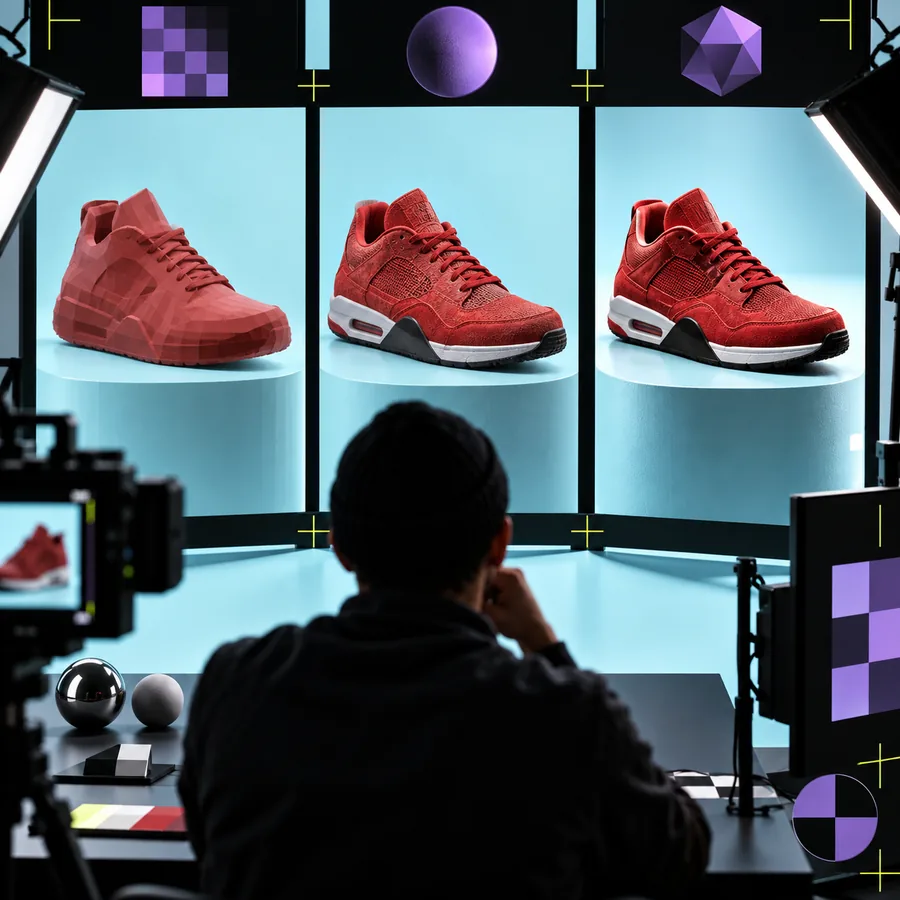
Prompt refinement beside a generated visual

Change one variable

Adjust the wording that directly addresses the mismatch while leaving successful parts intact. If the subject is right but the camera angle is wrong, revise the viewpoint instead of replacing the entire description.

ITERATION RULE

One meaningful change makes the next result easier to interpret.

Organized collection of saved generation results

Save the useful version

When a result meets the brief, preserve the prompt and relevant settings before experimenting further. A small library of successful patterns becomes more valuable than a long list of unlabelled attempts.

HANDOFF RULE

A result is reusable only when its recipe is recorded.

Run a better first generation

Bring a focused brief to Falai, test one prompt, and use the review loop to turn a rough idea into a clearer result. Start with a small experiment before building a larger workflow.

Try Falai now
  • Use a concrete subject and outcome
  • Change one variable per iteration
  • Save prompts that produce useful results

Tutorial FAQ

These answers cover the practical questions people usually ask before starting a fal tutorial.

Start with one small output and a concrete goal, such as a product image or a short motion test. Write the subject, action, style, and format before choosing a model, then use the first result to identify one improvement.

No, you can learn the core workflow by writing prompts, selecting an appropriate model, and reviewing outputs. Coding becomes useful when you want to connect fal to an application, automate repeated runs, or build a custom interface.

Put the main subject and desired outcome first, then add composition, motion, lighting, or style details that support that goal. Avoid stacking vague adjectives; make each important instruction observable in the final result.

Inconsistency can come from an unclear prompt, a model that does not fit the task, or too many changes between attempts. Keep the goal stable, change one variable at a time, and record the model and settings used for the strongest result.

A basic workflow can be understood in one focused session, but reliable results improve through repeated comparison and documentation. Practice with the same type of output several times before judging your overall process.

Start creating
Start creating